

Kink AI: Negotiate the Scene, Then Escalate to Video
Kink AI Starts as a Conversation, Not a Preset
Scroll the video presets in GoLove's generator and 'Shibari Swing' sits a few cards away from 'Twerk'. Kink is literally a menu option now. The harder part, and the part this guide is about, is everything you settle in the chat before you ever tap that card.
A real scene runs in a set order: talk, agree, then play. Kink AI works better when it follows the same sequence, so this guide does too: limits first, then the intensity controls, then continuity, and visuals last.
Why build it around GoLove.ai? One practical reason: a single character carries the whole arc. Chat, voice, photos and video all live on the same profile, and Memory holds the dynamic you set up, so you aren't re-explaining it every session. For the wider field, see our breakdown of companion apps that bundle chat, photos and video.
Explore is the instant way in. Tap a character and you're in a chat, and every character is an adult. Camila Harper, 25, is filed under Bdsm, with a bio about quiet confidence that draws people in. For a dom-leaning slow burn, that's a genuinely good starting point.
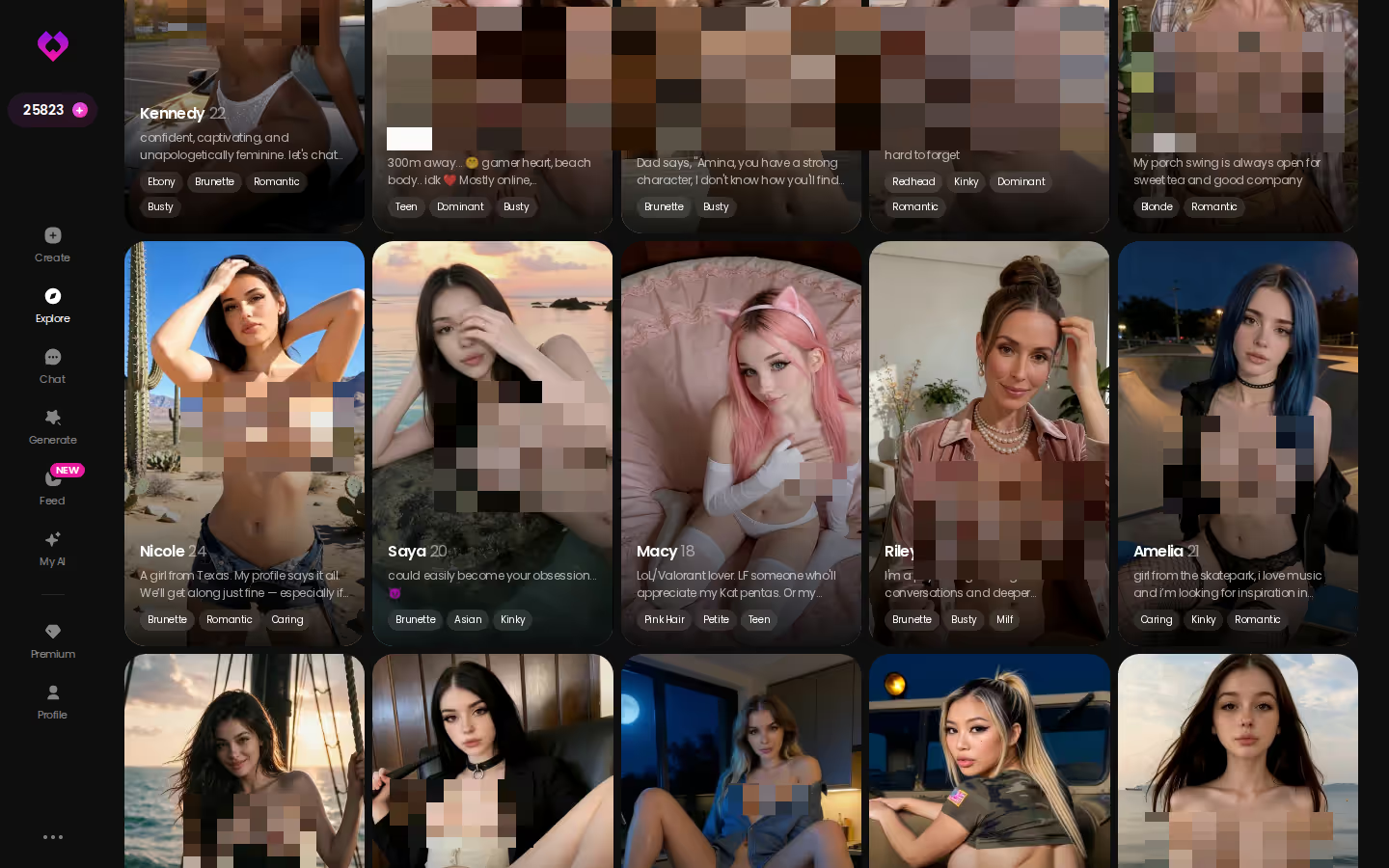
Choose the character before you write your limits, because her baseline shapes the whole negotiation. A bio like Camila's gives your brief something to push against, and it changes what you'll write next. So pick her first.
Write Your Limits Down Before the First Message
Before the first message, write five things down. A notes app works, and so does a scrap of paper. The point is to decide while you're calm, not mid-scene.
MEET YOUR AI COMPANION
Hundreds of characters, one that fits you.

- Hard limits: things that never appear. Two or three is plenty.
- Soft limits: themes you're curious about but want approached slowly, or only hinted at.
- Dynamic: who leads. The character can lead, you can lead, or you can switch.
- Tone: playful teasing, or genuinely intense.
- Stop cue: a plain phrase like "pause scene" that means step out of character.
 6 episodes
 5 episodes
 7 episodes
 5 episodes
 5 episodes
 5 episodes
 5 episodes
 7 episodes
 6 episodes
 9 episodes













That list then goes at the top of your opening message as an out-of-character brief. Something like: "Before we start: you lead, keep it teasing, never [hard limit], go slow on [soft limit], and if I type 'pause scene' we drop character." Now the character has something concrete to take its cue from instead of guessing. And because Memory remembers chat history, the brief stays in the thread after the session ends.
Everything here is adult and fictional: two consenting characters telling a story, nothing more.
Does an AI need a safeword? Not for safety, since nobody on the other side can get hurt. A stop cue still earns its place, though. It keeps the fantasy on your terms. When a reply drifts somewhere you didn't want, one agreed phrase resets the scene cleanly, and you don't end up arguing with a character mid-roleplay.
Matching Lust Level and Reply Length to Your Kink
Inside a chat, open Chat Settings. This is where your written limits turn into something the app can act on, through three controls.
- Lust level (5 levels): 1 is sweet and wholesome, 5 is unfiltered and intense.
- Response length (5 levels): 1 is short and snappy, 5 is rich and immersive.
- Voice picker: sets how the character sounds.

Map your checklist onto them. A slow-burn tease reads better around lust 3, with replies at 4 or 5. The build-up is the point there, and a longer reply has room for description, delay and the small refusals that make teasing work. A sharp dom dynamic flips that: lust at 4 or 5, replies at 1 or 2. Commands land harder when they're clipped (a full paragraph of dominance tends to read like narration, which is not it). If your tone line says "playful," start mid-range. If it says "intense," go to the top two levels and let the stop cue do its job.

Changing a level doesn't mean restarting. Scene stalls at 3? Nudge it to 4 and keep typing. If it brushes a soft limit too early, drop a level and send your stop cue. The dial moves, and the conversation stays exactly where it was.
Characters you can open right now
Tap any of them and the chat starts there





Picking Up the Dynamic Where Last Night Left It
Say you set things up last night. Camila leads, lust sits at 4, replies are short, "pause scene" is your stop cue, and rope aesthetics are a soft limit you wanted approached slowly. Tonight you open the same chat.
No re-brief needed. Memory remembers the chat history, and Relationship Progression tracks where the two of you have got to, so the dynamic you negotiated is already sitting in the thread. You don't paste it in again or explain twice who leads.
In kink, continuity is the consent you don't have to repeat.
To raise the intensity, change the channel rather than the settings. Send a voice message, or start a live voice call. Hearing the character carry the dynamic you agreed on is a different register from reading it, and for a submissive or dom roleplay that difference matters more than any slider.
| What you get | GoLove.ai |
|---|---|
| Voice | Live calls and voice messages |
| Memory | Remembers your chat history |
| Photos in chat | On request |
| Image generator | 35 realistic poses & 21 outfits |
| Daily reward stars | 2 every day |
Photos come next. Use Request Photos in Chat for an image that matches the scene you're in: same character, same thread, no separate tool, no describing her from scratch. If you'd rather compose the image yourself, Generate's image mode works on the same character.
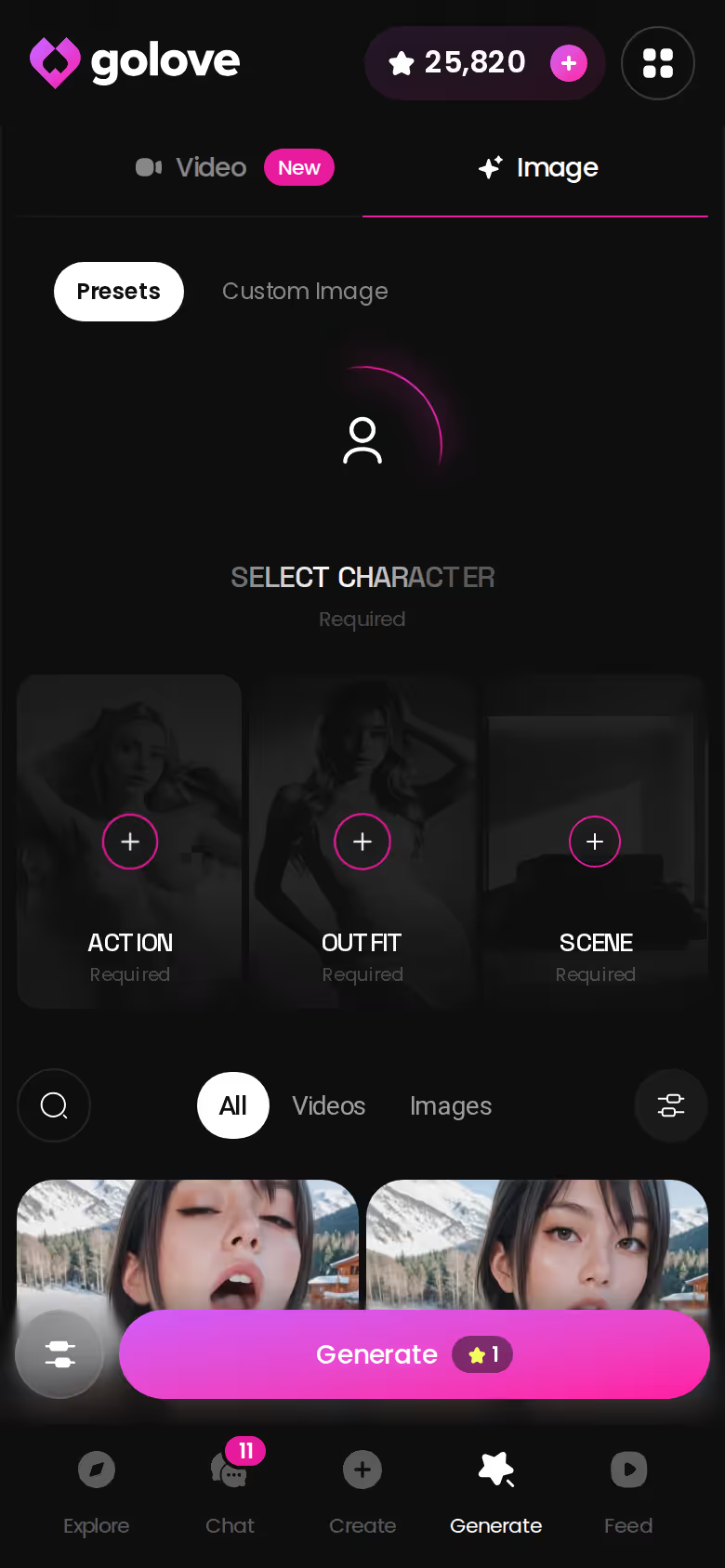
What makes this work is the order. Chat built the dynamic, voice raised the heat, and the photo came last — with nothing reset between steps.
From a Requested Photo to a Shibari Swing Video
Once a requested photo lands, the chat gives you two ways forward without leaving the thread. Generate Video from Photo turns that image into a clip. Video Actions in Chat opens a Select Action modal where you pick what happens next.
ASK HER FOR PHOTOS
She sends them right there in the chat.

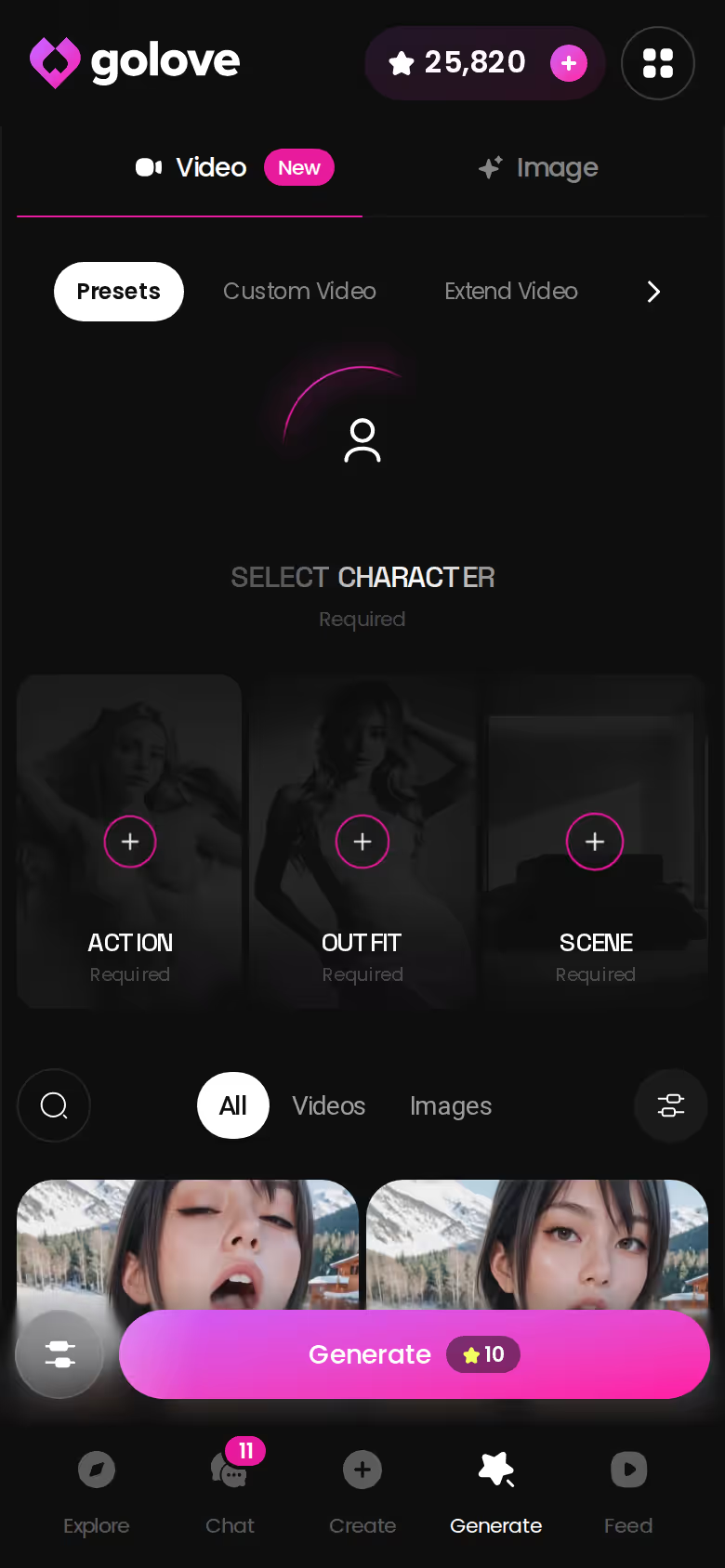
For more control, use Generate → Video. It's a per-character generator: swap the avatar top-right, open Presets, and build the clip from cards. You choose an action or pose card, a Clothes card and a Background card, then tap Generate once.
76 realistic video modes 147 video modes total
GoLove.ai, myth vs. fact:
- Myth: She forgets you the moment the tab closes — Fact: She remembers your chat history
- Myth: Voice is a gimmick you try once — Fact: Live voice calls, voice messages and a voice picker in Chat Settings
- Myth: Every "photo" is the same stock render — Fact: She sends photos on request, and the image generator has 35 realistic poses and 21 outfits
- Myth: You can't change how she talks — Fact: Chat Settings set her lust level and reply length
The kink-adjacent cards are right there in that set: Shibari Swing, Tentacle and Ahegao, next to the more vanilla options. For still images, the realistic generator gives you:
- 35 realistic poses, plus a custom pose
- 21 outfits, plus custom clothes
- 34 backgrounds, plus a custom background
- Batches of 2, 4 or 8 images
Anime readers get 20 anime video modes, and the anime picture set includes hentai-only modes such as tentacle and ahegao.
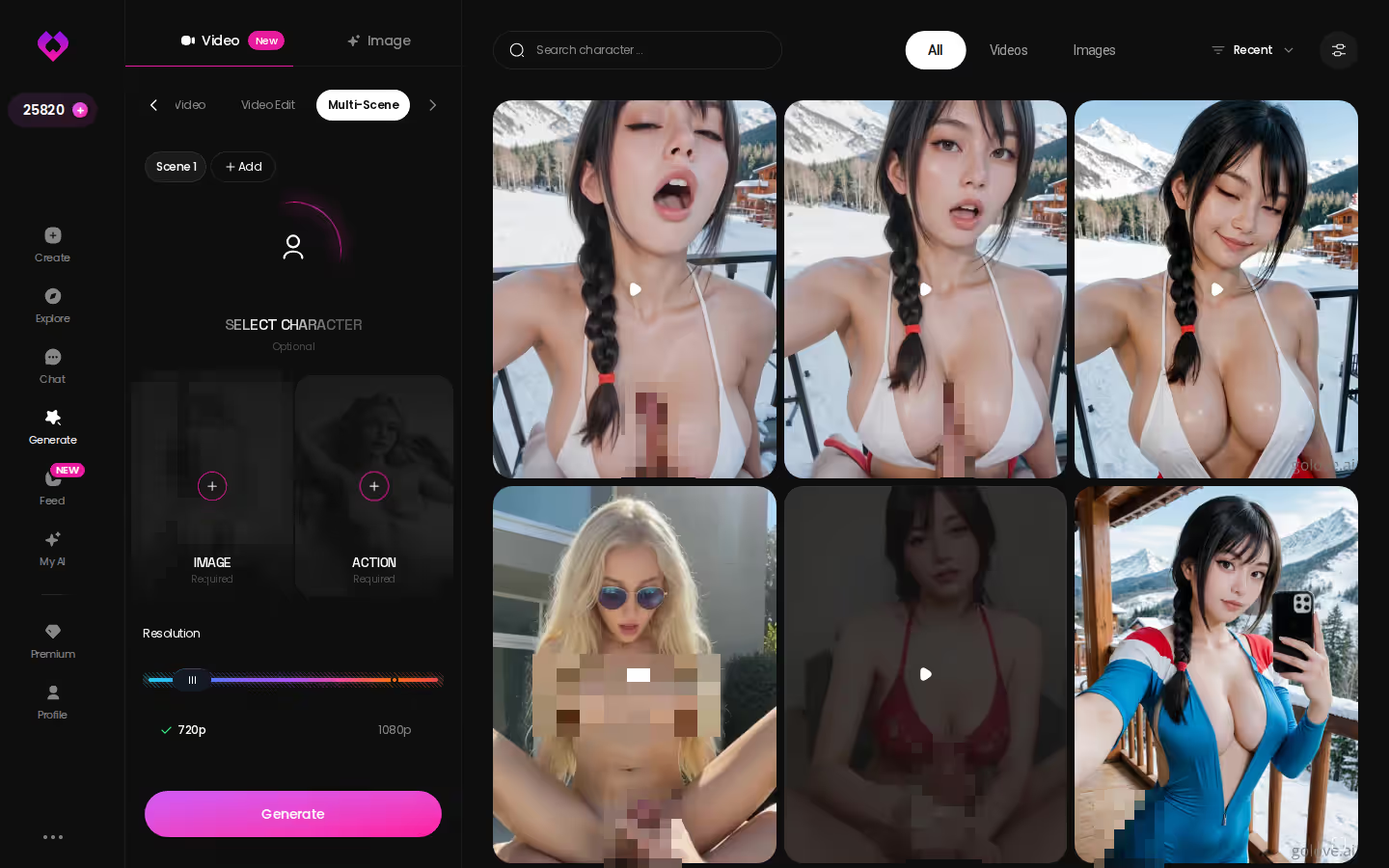
The screenshot also shows a Multi Scene option for chaining moments. That suits a negotiated scene, which tends to build in stages rather than jump straight to the finale. Keep the same character selected and the visuals stay attached to the dynamic you set in chat.
GoLove's Preset Cards vs. a Fully Free-Form Fetish
Preset cards are the reason a Shibari Swing clip is one tap away. They're also the limit.
What you give up: total freedom, in exchange for speed and consistency. A very niche fetish may not have its own card. The workaround is the custom pose, clothes and background fields, plus the chat itself, which is where a niche scene gets described anyway.
What it costs: generation spends Stars on top of PRO. PRO is about $19.99/month, or about $9.99/month on the annual plan, and Star packs run about $9.99–$179.99. Those prices were checked in 2026-07, and both vary by region and promo. You also get 2 daily reward Stars. For what each tier actually covers, check the current plans in the app.
Fair rival note: OurDream bundles chat, image and video generation in one subscription. It starts at about $19.99/month, or about $9.99/month annual, with 1,000 DreamCoins per cycle on Premium. That simpler bundle is a real plus — one bill is easier to reason about than a subscription plus a currency. It's also web-only. More on that in our look at apps that rival OurDream's bundle.
- Presets win on speed and repeatable results.
- Free-form wins for a fetish no card covers.
- One character from limits to video wins where kink needs it most.
Netted out, keeping one character from negotiation to video outweighs the free-form gap. Fair enough trade.
and watch their story unfold.View Character
What I'd Do on Night One
If I were setting this up tonight, here's the order I'd go in:
- Write three limits: one hard, one soft, and a stop cue.
- Pick or build an adult character. Use Create with Realistic, Anime or Trans, or use Design with AI to describe a concept and have it generate the character.
- Set lust and response length to match the tone you wrote down.
- Let one session establish the dynamic, with no visuals yet.
- Escalate to a requested photo, and only then to a preset video.
That pacing is the whole method. The tempting shortcut in a kink AI chat is jumping from step two straight to step five, and it skips everything that makes the scene feel like yours.
GoLove.ai is the kink AI pick here because memory, the lust dial, voice and the video presets all sit on the same character. The scene you negotiate is the scene you escalate, and nothing gets lost in between. If you'd rather have everything in one bundled subscription and you live in a browser anyway, OurDream is a reasonable choice.
Step two is where most of the work happens. Build a character around your dynamic from the start, through Create or Design with AI, and your opening brief has far less to explain. Start there.
Frequently Asked Questions
Related Articles

NSFW CharAI: Design Her, Then Set the Lust Level
NSFW CharAI done right: GoLove.ai wins on a 5-level lust slider plus memory — design her in plain text, set how far she goes, then start chatting.

Spanking AI: Discipline Roleplay, Then Custom Photos
Spanking AI done right is slow discipline roleplay — GoLove.ai wins on memory plus in-chat photos you describe yourself. Set the lust level, then start.

Best AI Companion Online: Watch Her Show, Then Chat
Best AI companion online? GoLove.ai wins on memory and same-character photos — start with a Series episode, then chat with its star.

Sexy AI: Set Her Lust Level, Then Ask for Photos
Sexy AI that only poses gets old — GoLove.ai wins on in-chat photos, live voice and memory. Set her lust level 1-5, then see who's waiting in Explore.